
Troubleshoot a missing or delayed lead
Check each stage before retrying or creating a duplicate.
The numbers in these website screenshots identify controls and statuses, not a required click sequence. Example records and amounts are illustrative; mobile layouts may differ.
Identify where it stopped
-
Confirm the lead exists in the original source.
-
Check that the intended Clasp workspace and source connection are selected.
-
Review any receipt/import status shown in the integration.
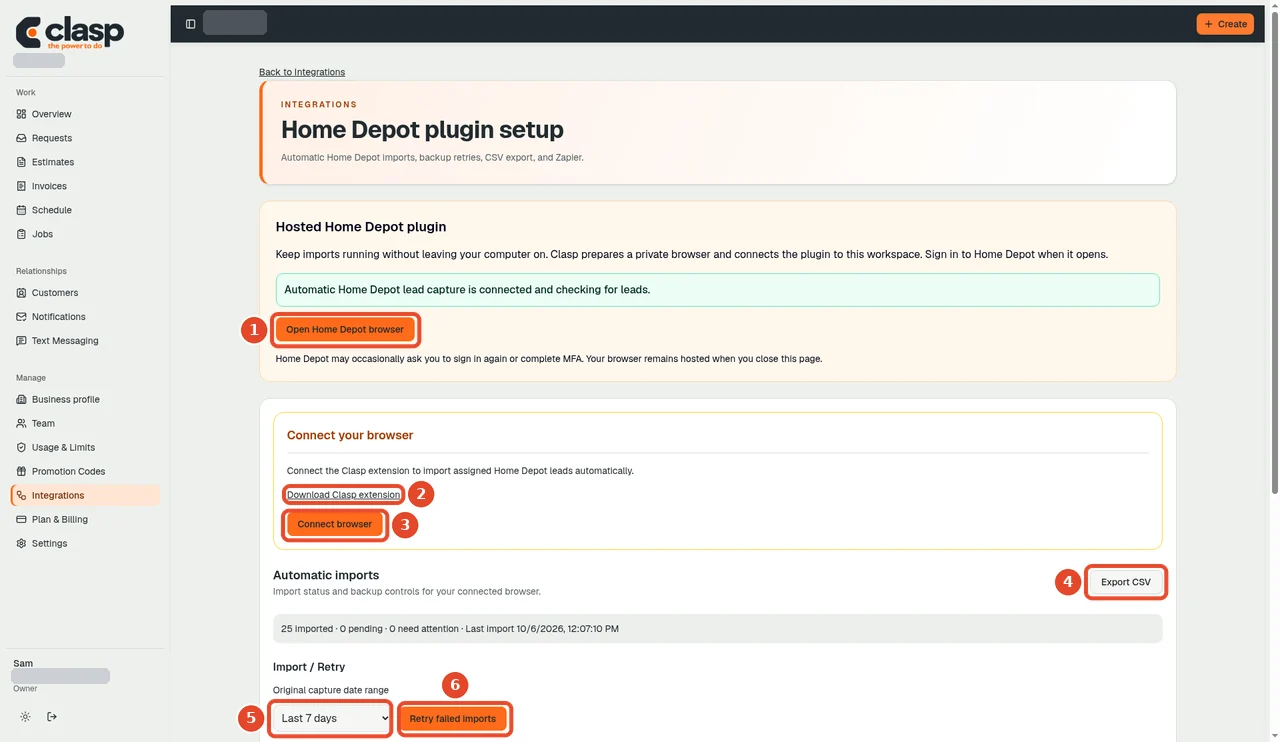
Check the integration page for connection and import status before looking for the request. Numbered controls in this screenshot
- 1 — Open Home Depot browser: Open the browser connection and sign in through the authorized provider flow.
- 2 — Download Clasp extension: Use the extension download only if the setup instructions for your connection require it.
- 3 — Connect browser: Follow the displayed connection instructions for your workspace.
- 4 — Export CSV: Export the available records if needed; this is not a connection step.
- 5 — Capture date range: Choose only the date range you intend to capture.
- 6 — Retry failed imports: Retry saved failed imports only after reviewing their status and cause.
-
Look for the matching request and customer.
-
If it needs review or failed, capture the status and approximate arrival time for support.
Do not include customer contact details or connection secrets in a public screenshot.
What retry can and cannot do
The marketplace documentation describes retrying saved failed receipts. That cannot recreate a lead which never reached Clasp. A source resend or account-specific recovery may be needed.
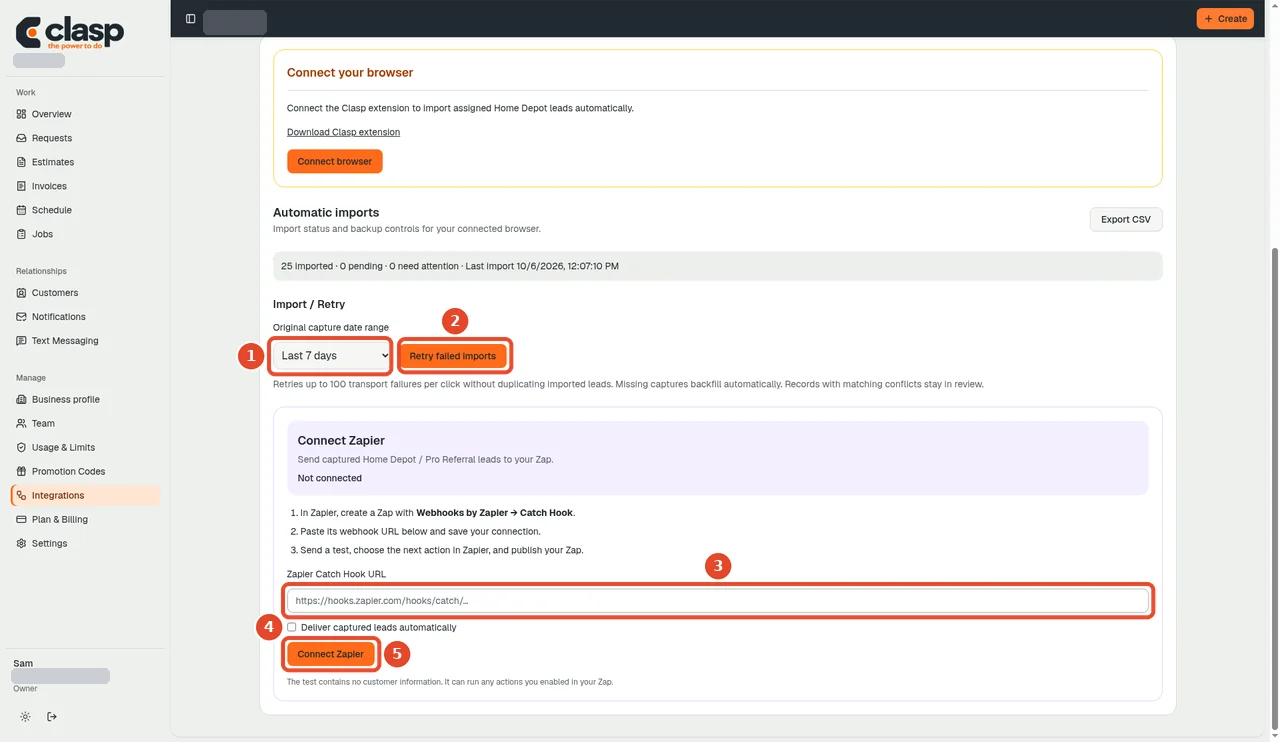
Numbered controls in this screenshot
- 1 — Capture date range: Set the range for the intended capture or review.
- 2 — Retry failed imports: Retry eligible saved failures; this cannot recreate a lead that never arrived.
- 3 — Zapier Catch Hook URL: Enter a hook only if you intend to forward leads to your own authorized Zapier workflow.
- 4 — Deliver captured leads automatically (checkbox): Enable only when that automatic forwarding is intended.
- 5 — Connect Zapier: Save that optional Zapier connection; it is distinct from Home Depot authentication.
Duplicate protection also means repeated delivery does not necessarily create additional requests. Compare source identities and receipt state, not just a dashboard total.
Identity conflicts
Do not force an ambiguous match or combine customers because they share a relay number. Preserve the review state and ask support for the correct resolution.
No imports, provider resends, or recovery actions were executed while preparing this guide.